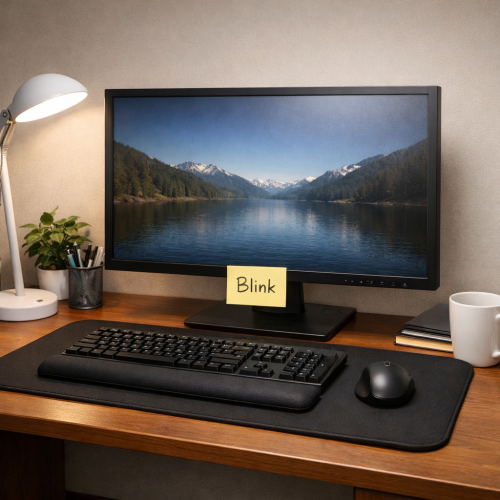

Screen time is at an all‑time high. Your eyes feel tired, dry, and achy after just a few hours. You’re not alone. In this guide we’ll walk you through practical, natural relief for digital eye strain that you can start using today. You’ll learn how to set up your desk, take smart breaks, do simple eye exercises, use natural lubricants, eat the right foods, and turn all of it into a daily habit.
Step 1: Optimize Your Workspace for Eye Comfort
How you sit and where your screen sits matters more than you think. The American Optometric Association explains that a screen that’s too bright or too close forces your eyes to work harder, leading to strain. AAO’s guide on computer usage notes that most people blink half as much when they stare at a screen. Less blinking means a dry surface and more irritation.
First, set the monitor about an arm’s length away , roughly 25 inches. The top edge should be at or just below eye level so you look slightly down. This angle lets the eyelids close naturally and keeps the tear film stable.
Special Health Report
Digital Eye Strain: New research reveals the specific nutrient that shields your retina from permanent blue light damage.
Protect My Vision Now →Second, match screen brightness to the room. If the screen looks like a flashlight, lower the brightness. If you can’t see the text without squinting, raise it a bit. Turn on “night mode” after sunset to cut blue‑light flicker. To further reduce blue light exposure, check out our guide on affordable blue light blocking glasses.
Third, reduce glare. A matte screen filter works well, and positioning a lamp to the side instead of directly in front helps. You can also tilt the monitor to avoid reflections from windows.
And remember to blink! Stick a tiny note on the corner of your monitor that says “Blink.” When you see it, close your eyes a few times. This simple cue can boost your blink rate back to normal.
“The best way to protect your eyes is to make the screen work with you, not against you.”
Here’s a quick checklist you can print and hang:
Special Health Report
The "Hidden" Arctic Berry: How this rare ingredient is being used to nourish optic nerves and improve night vision.
Download Special Report →- Screen 25 inches away
- Top of screen at eye level
- Brightness matches room lighting
- Matte filter or anti‑glare screen
- Sticky note reminder to blink
And if your eyes still feel dry, a preservative‑free artificial tear can give quick relief. Our best eye drops for digital eye strain guide lists options that won’t cloud your vision.
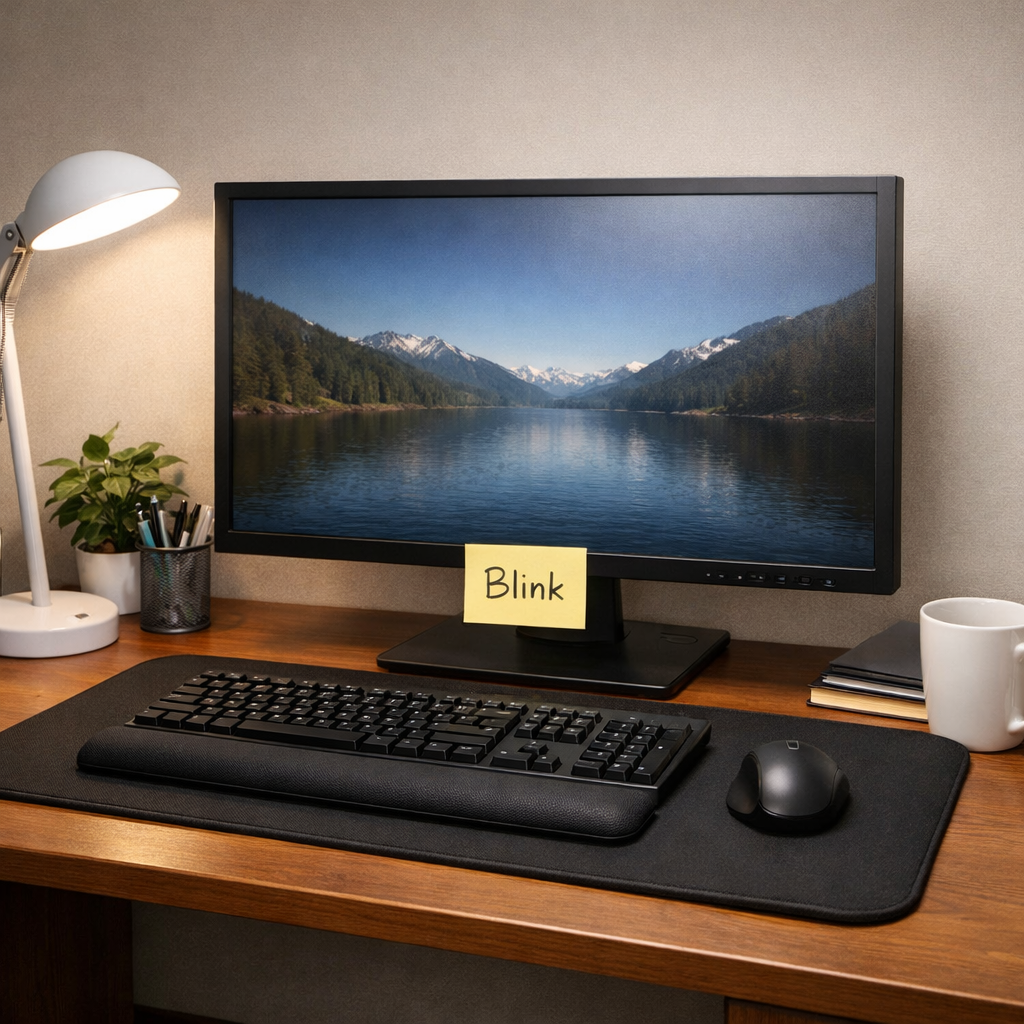
Bottom line: A well‑arranged desk cuts glare, eases focus, and lets your eyes stay moist.
Step 2: Practice the 20-20-20 Rule Effectively
The 20‑20‑20 rule is simple: every 20 minutes, look at something 20 feet away for 20 seconds. A review of digital eye strain research notes that this habit relaxes the eye’s focusing muscles and gives the blink reflex a chance to work again. PMC article on DES
Here’s how to make it stick:
- Set a timer on your phone or computer. Choose a gentle sound that won’t startle you.
- When the timer rings, glance out a window, at a wall picture, or at a distant object. If you’re indoors, count the ceiling tiles until you reach roughly 20 feet.
- Keep your eyes relaxed. Don’t squint or strain to see the far object.
- Take a few slow blinks while you’re looking away. This adds moisture.
And if you work in a meeting room with no window, keep a printed sheet with a high‑contrast image (like a black circle on white) at the far wall. That visual cue works just as well.
Some people wonder if a longer break is better. Studies show short, frequent breaks beat one long pause because the eye muscles never get a chance to reset during a long sit.
Bottom line: The 20‑20‑20 rule is a low‑effort habit that gives your eyes regular relief.
Step 3: Incorporate Eye‑Relaxing Exercises
Eye exercises move the eye muscles and improve tear spread. The EyeCare Associates site lists four simple moves you can do right at your desk.WebECA eye‑therapy guide
Exercise 1 , Palming: Rub your hands together until they feel warm. Close your eyes and cup your palms over them, without pressing. Stay for 30 seconds while breathing slowly. The warmth helps relax the muscles.
Exercise 2 , Near‑far focus: Hold a pen at arm’s length. Focus on the tip for five seconds, then shift your gaze to a distant object for five seconds. Repeat ten times.
Exercise 3 , Eye rolls: Slowly roll your eyes clockwise five times, then counter‑clockwise five times. Do this once an hour.
Exercise 4 , Blink bursts: Blink rapidly ten times, then close your eyes for two seconds. This spreads tears across the surface.
WebMD adds that rolling the eyes can release tension in the muscles that aim the eyes.WebMD eye‑strain exercises
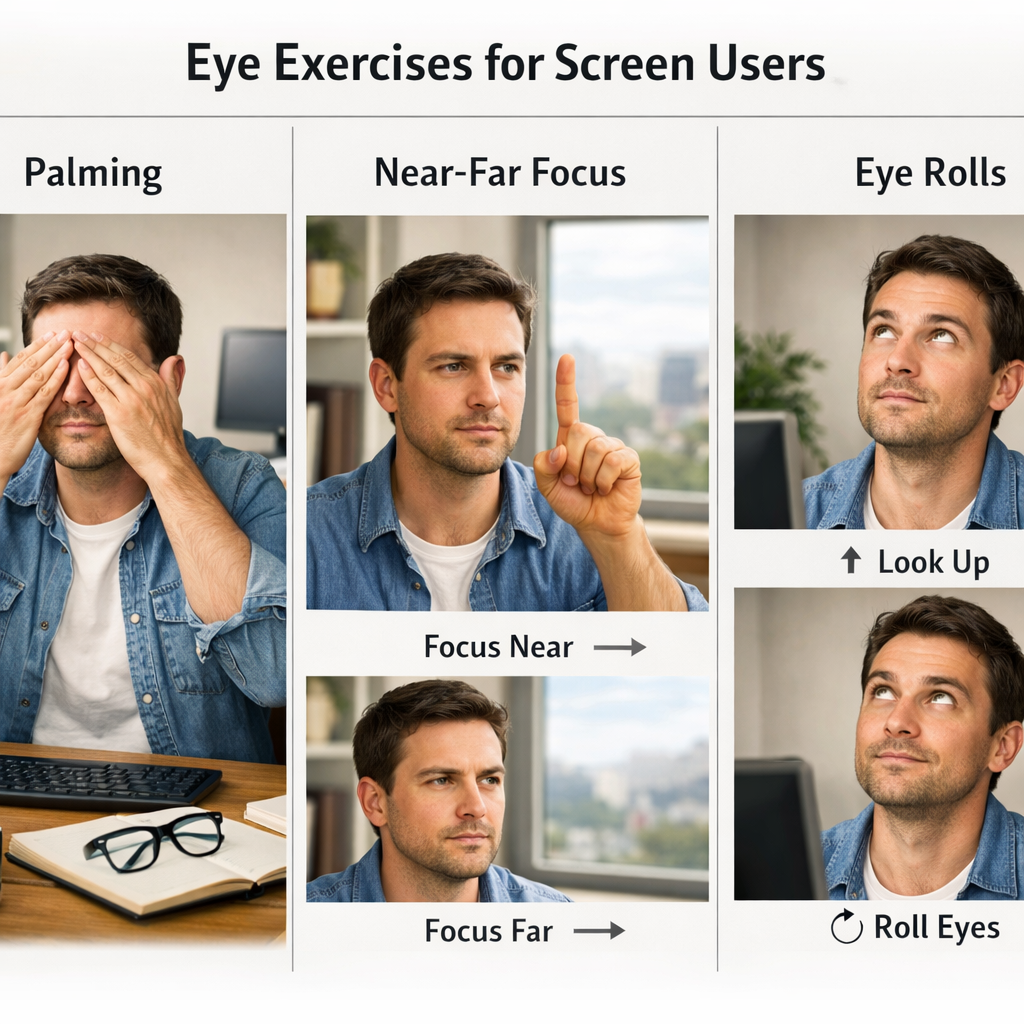
These moves take less than a minute, yet they can cut headache frequency and reduce blurry moments.
Bottom line: Simple eye‑relaxing moves are a fast, free way to ease strain.
Step 4: Use Natural Lubricants and Warm Compresses
Dryness is a common side effect of long screen sessions. The Optometrists Association notes that up to half of all adults experience dry‑eye symptoms.Optometrists.org dry‑eye guide
Artificial tears are the first line of defense. Choose preservative‑free drops, especially if you need them many times a day. Apply one drop in each eye whenever you feel a gritty feeling.
Warm compresses melt the oil that lines the eyelids and helps the meibomian glands release a smoother tear film. A warm washcloth for five to ten minutes does the trick. Follow with a gentle eyelid massage , roll your fingertip from the inner corner along the lid edge.
Make this a nightly habit. Consistency is key; most people notice a smoother feel after a week or two.
And if you wear contacts, take them out before you start a warm compress. The heat can warp the lens material and trap bacteria.
For severe dryness, a lubricating ointment at bedtime can keep your eyes moist through the night. Just be aware it may blur vision for a short while after you wake.
Bottom line: Natural lubricants and gentle heat restore tear quality and comfort.
Step 5: Optimize Your Diet with Eye‑Healthy Nutrients
What you eat fuels your eyes. Clinical trials show that lutein, zeaxanthin, and omega‑3 fatty acids protect retinal cells and improve tear quality. Study on lutein/zeaxanthin found no safety concerns at the common dose.
Here are the top nutrients and food sources:
Supplements like Lutemax Kids (10 mg lutein + 2 mg zeaxanthin) have been tested in double‑blind trials and showed improved visual comfort. PubMed supplement study For more information, read our in-depth article on lutein and zeaxanthin benefits for eyes.
When you choose a supplement, look for a third‑party seal that checks purity. That way you know you’re getting the amount listed on the label.
And don’t forget hydration. Drinking at least eight cups of water daily helps keep the tear film thin and even.
Our top vitamins for eye health page breaks down dosage and safety notes for each nutrient.
Bottom line: Nutrition works from the inside out to keep digital eye strain at bay.
Step 6: Create a Consistent Eye Care Routine
All the tips above work best when you turn them into a habit. Eye‑care experts at Eye Care of San Diego stress that regular check‑ups catch issues early and let you fine‑tune your routine.Eye Care of San Diego guide
Start with a morning checklist:
- Adjust screen height and brightness.
- Take a quick 20‑20‑20 break after you log in.
- Do a 30‑second palming session.
Mid‑day, add a warm compress if you feel dryness. Keep a bottle of preservative‑free tears at your desk for quick relief.
Afternoon: repeat the 20‑20‑20 rule, and finish your workday with a brief eye‑exercise circuit (rolls, near‑far focus, blink bursts).
Evening: dim the lights, switch devices to night mode, and give your eyes a final warm compress before bed. If you wear contacts, remove them at least 15 minutes before the compress.
Finally, schedule an eye exam at least once a year. The doctor can spot early signs of macular wear or dry‑eye disease that you might miss. For a broader approach to preserving your vision, see our 2026 guide to vision health.
Bottom line: Consistency turns isolated tricks into lasting comfort for digital eye strain.
Conclusion
Natural relief for digital eye strain isn’t a single magic fix. It’s a bundle of easy changes that add up. By setting up an ergonomic workspace, using the 20‑20‑20 rule, doing quick eye exercises, adding lubricants and warm compresses, eating eye‑supportive foods, and locking everything into a daily routine, you give your eyes the chance to stay healthy while you stay productive.
Our team at Natural Daily Insights , Clarity Edition has pulled together the latest clinical data and real‑world tips so you don’t have to hunt for them yourself. Try one step this week, then add another. Small moves lead to big comfort.
Ready to start? Pick the first habit that feels easiest and stick with it for a week. You’ll notice less dryness, fewer headaches, and shars on eye drops, vision health, and supplements, explore the resources linked throughout this article.
Take charge of your screen time. Your eyes will thank you.
Frequently Asked Questions
What is the most effective natural relief for digital eye strain?
Combining workspace tweaks, the 20‑20‑20 rule, simple eye exercises, preservative‑free drops, warm compresses, and a diet rich in lutein, omega‑3, and vitamins A, D, and zinc gives the best natural relief for digital eye strain. Each piece supports the others, creating a balanced approach that works for most people.
How often should I use a warm compress?
Apply a warm compress once or twice daily for five to ten minutes. Consistency matters more than length; most users feel a difference after a week of regular use. Make it part of your evening routine so the glands have time to clear before you sleep.
Can eye‑relaxing exercises replace glasses?
No. Exercises help reduce fatigue and improve flexibility, but they don’t correct refractive errors. If you need glasses, keep wearing them. Use exercises as a supplement to lower strain while you’re looking at screens.
Are artificial tears safe for long‑term use?
Preservative‑free artificial tears are safe for frequent use because they don’t contain chemicals that can irritate the eye surface. Use them whenever your eyes feel dry, especially after long screen sessions. If symptoms persist, see an eye doctor.
Which foods should I eat to support eye health?
Leafy greens like kale and spinach, fatty fish such as salmon, eggs, carrots, fortified dairy, and nuts are top choices. They supply lutein, zeaxanthin, omega‑3 fatty acids, vitamin A, vitamin D, and zinc , all shown to help with tear quality and retinal protection.
How can I remember to take breaks?
Set a timer on your phone, computer, or smartwatch. When it rings, pause, look 20 feet away, blink a few times, and stretch. Pair the timer with a habit‑tracking app or a sticky note on your monitor to reinforce the habit.